Website Maintenance If No Updates Needed
Many business owners assume that website maintenance is only needed when they actively update their website content.
If nothing changes — no new pages, no edits, no blog posts — it often feels like maintenance is unnecessary.
But this is one of the most common misunderstandings about how websites actually work.
Even when your website looks “unchanged” on the surface, there are many technical processes running in the background that require ongoing maintenance to keep your site secure and stable.
Table of Content
1. Website maintenance is not the same as content updates
A common confusion is thinking that website maintenance and content updates are the same thing.
They are very different.
Content updates are things like:
- Changing text or images
- Adding new pages or blog posts
- Updating promotions or offers
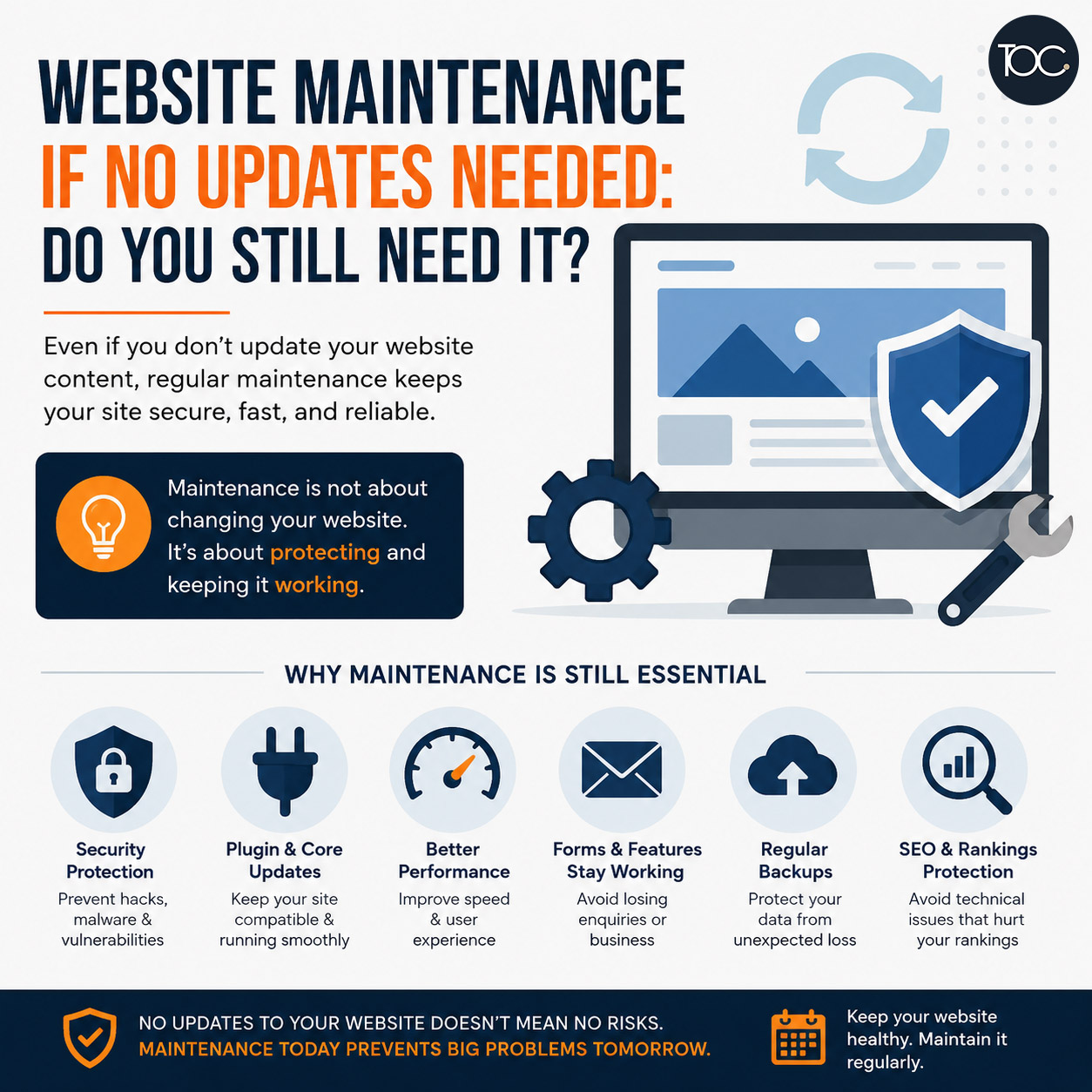
Website maintenance is technical work such as:
- WordPress core updates
- Plugin and theme updates
- Security monitoring
- Performance optimisation
- Backups and system checks
So even if you never touch your website content, the technical side still requires regular attention.
2. Your website still changes even if you don’t touch it
One of the biggest misconceptions is thinking a website stays “still” when you don’t update it.
In reality, your website environment continues to change.
WordPress, plugins, and hosting systems are constantly being updated by developers. These changes can affect how your website behaves.
Without maintenance, these updates can lead to:
- Compatibility issues
- Broken features
- Slower performance
- Unexpected errors
Your website is never truly static — even if you are not actively editing it.
3. What can go wrong without website maintenance
When maintenance is skipped, issues usually don’t appear immediately. Instead, they build up quietly over time.
Some common problems include:
Security vulnerabilities
Outdated plugins and themes can become entry points for hackers.
Broken website functions
Contact forms, booking systems, or checkout processes may stop working.
Slow performance
Unoptimised files and outdated systems can make your website slower.
Unexpected downtime
Conflicts between updates can cause your website to crash.
Lost enquiries
Forms may fail without you noticing, leading to missed business opportunities.
Most of these issues happen silently in the background.
4. Why maintenance is still required even for “static” websites
Even if your website is not frequently updated, it is still connected to:
- Hosting servers
- External plugins
- Security systems
- Third-party integrations
All of these systems evolve independently.
This means your website still requires regular checks to ensure everything continues working properly together.
5. A simple way to understand website maintenance
Think of your website like a physical shop.
Even if you do not change the layout or products every day, you still need:
- Security checks
- Equipment maintenance
- Regular cleaning
- System inspections
Without these, problems will eventually appear — even if everything looks fine on the surface.
Your website works in the same way.
6. Who needs website maintenance
Website maintenance is important for:
- Business websites generating enquiries
- WordPress websites using plugins or themes
- E-commerce websites
- Service-based businesses relying on leads
- Any website that needs to stay online and functional
If your website plays a role in your business, maintenance is not optional.
👉 Related Reading: Importance of Website Maintenance
7. Final Thoughts
Website maintenance is not about how often you change your content.
It is about ensuring your website continues to work properly, stay secure, and perform well over time.
Even if you never update your website, the technology behind it is always changing — and your website needs to keep up.
8. Frequently Asked Questions
8. Frequently Asked Questions
9. Don’t Wait Until Your Website Breaks
Website issues often happen silently — until they start affecting your leads and business.
A proper maintenance plan helps prevent problems before they happen.
👉 Speak to us today about website maintenance for your business.