Introduction
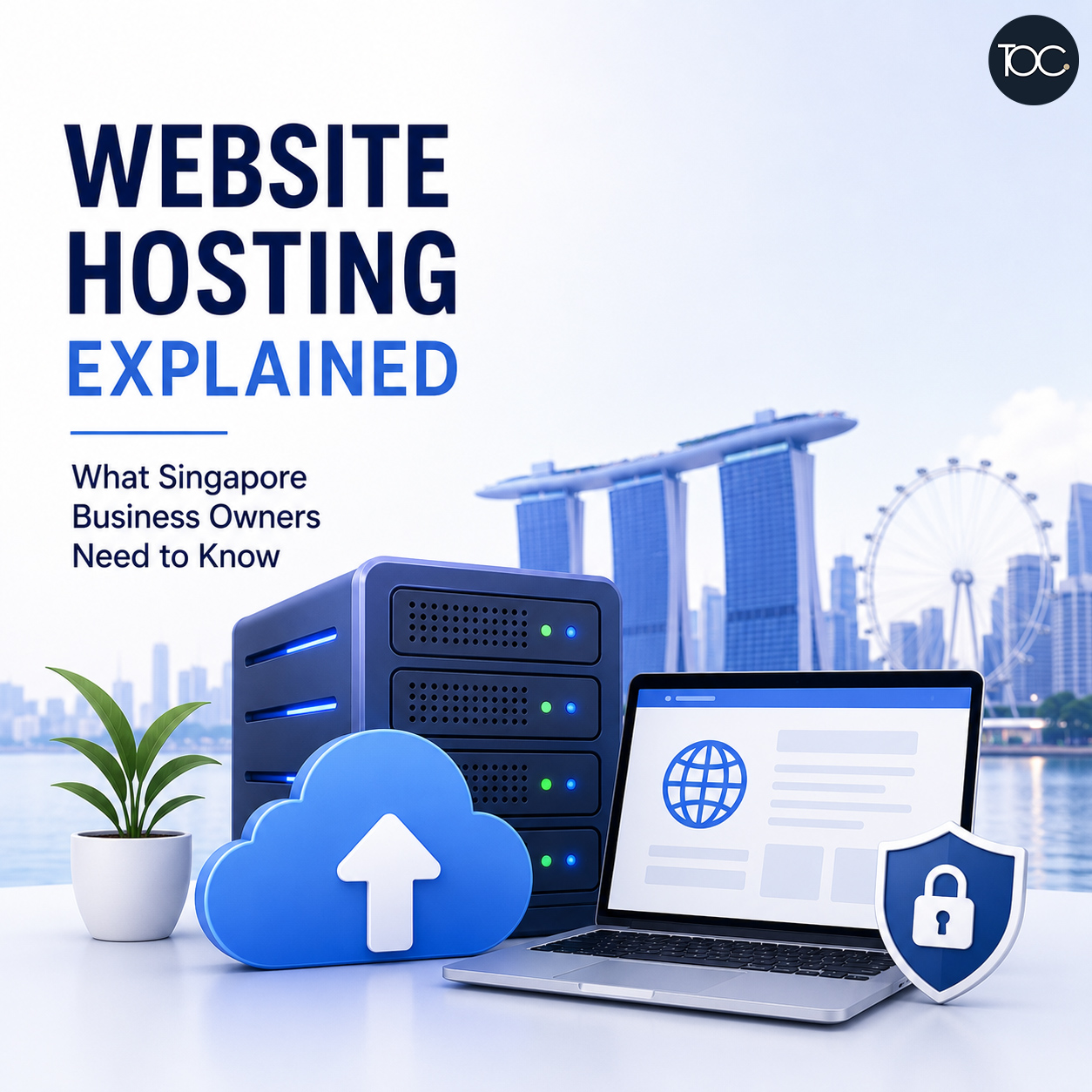
Website hosting Singapore services come in many different forms, and choosing the right hosting solution can have a major impact on your business website’s speed, reliability, security and overall performance.
If you own a business website, you’ve probably come across terms such as web hosting, shared hosting, cloud hosting, VPS, bandwidth, storage, SSL and server uptime. But what do they actually mean, and which ones really matter for your website?
A beautifully designed website can still provide a poor experience if it is hosted on a slow or unreliable server. On the other hand, paying for an expensive hosting plan with resources your website doesn’t need isn’t necessarily better.
The challenge is that hosting plans are often filled with technical specifications that can be difficult to understand if you don’t manage websites every day.
In this guide, we’ll explain website hosting in simple terms, look at the different types of hosting available, and discuss what Singapore business owners should consider when choosing the right hosting solution.
Table of Content
1. What Is Website Hosting?
Every website needs somewhere to store its files and data.
These may include:
- Website pages
- Images
- Videos
- WordPress files
- Plugins and themes
- Databases
- Product information
- Customer enquiries
Website hosting provides the server infrastructure where this information is stored.
When someone enters your website address into their browser, the browser connects to the server hosting your website and requests the necessary files.
The server then sends those files back to the visitor’s device so the website can be displayed.
In simple terms:
Your domain name is your website’s address.
Your hosting is where your website lives.
You normally need both to operate a website.
2. Is a Domain Name the Same as Website Hosting?
No.
This is one of the most common areas of confusion for new website owners.
A domain name is an address such as:
yourcompany.com.sg
Website hosting is the server where your website files and database are stored.
You can purchase your domain and hosting from the same company, but they are still two separate services.
This also means you can usually move your website to another hosting provider without changing your domain name.
3. Why Does Website Hosting Matter?
Hosting isn’t something your customers normally see.
But they can certainly experience the consequences of poor hosting.
For example, inadequate hosting can contribute to:
- Slow loading speeds
- Website downtime
- Server errors
- Poor website performance
- Limited storage
- Resource limitations
- Difficulty handling traffic increases
- Security concerns
For a business website, these problems can have real consequences.
If your website is unavailable when a potential customer wants to contact you, you may lose an enquiry.
If your online store becomes extremely slow during a promotion, customers may abandon their purchases.
Hosting therefore shouldn’t be treated simply as somewhere to store your website.
It is part of your website’s technical foundation.
4. What Are the Different Types of Website Hosting?
There are many hosting options available, but most business websites use one of several common types.
Understanding the differences will make comparing hosting plans much easier.
A. Shared Hosting
Shared hosting is one of the most affordable types of website hosting.
As the name suggests, multiple websites share the resources of the same server.
Think of it like living in an apartment building.
You have your own unit, but the building’s infrastructure is shared with other residents.
Advantages of Shared Hosting
Shared hosting is usually:
- Affordable
- Easy to set up
- Suitable for smaller websites
- Managed by the hosting provider
- Beginner-friendly
For a simple corporate website with relatively low traffic, good-quality shared hosting may be perfectly adequate.
Disadvantages of Shared Hosting
The main limitation is shared resources.
Other websites on the same server are also using resources such as:
- CPU
- Memory
- Storage
- Network capacity
If the hosting provider overcrowds the server or another website consumes excessive resources, performance may be affected.
Not all shared hosting is poor quality. The quality depends heavily on how the hosting company manages its infrastructure.
B. VPS Hosting
VPS stands for Virtual Private Server.
A physical server is divided into multiple virtual environments, with each VPS allocated its own resources.
Using the apartment analogy again, VPS hosting is more like having a larger unit with more resources reserved specifically for you.
Compared with basic shared hosting, VPS hosting generally provides greater:
- Control
- Performance
- Resource allocation
- Flexibility
However, VPS hosting can require more technical knowledge, particularly if you choose an unmanaged VPS.
Who Might Need VPS Hosting?
VPS hosting may be suitable for:
- Larger WordPress websites
- Higher-traffic websites
- eCommerce websites
- Membership websites
- Custom web applications
- Businesses requiring greater server control
It may be unnecessary for a small five-page corporate website.
C. Cloud Hosting
Cloud hosting uses a network of computing resources rather than relying entirely on a single traditional server.
Resources can often be scaled according to demand.
This makes cloud hosting attractive for websites that need flexibility and scalability.
Potential advantages include:
- Scalability
- Reliability
- Flexible resource allocation
- Better handling of traffic spikes
- Reduced reliance on one physical server
However, the term “cloud hosting” is used very broadly by hosting companies.
Two providers offering “cloud hosting” may provide very different infrastructure and levels of performance.
Don’t choose a hosting plan simply because the word cloud appears in the product name.
Look at what you’re actually getting.
D. Managed WordPress Hosting
Managed WordPress hosting is specifically designed for WordPress websites.
Depending on the provider and plan, the hosting company may handle tasks such as:
- WordPress optimisation
- Server configuration
- Backups
- Security monitoring
- Caching
- Software updates
- Staging environments
The advantage is convenience.
The hosting environment is designed around WordPress rather than being a generic server environment.
Is Managed WordPress Hosting Worth It?
It can be.
For businesses that rely heavily on their WordPress website, paying more for better performance, management tools and support may be worthwhile.
However, managed WordPress hosting does not automatically replace website maintenance.
Your hosting provider may manage the server while your website developer manages the actual WordPress website.
These are different responsibilities.
E. Dedicated Hosting
With dedicated hosting, an entire physical server is dedicated to one customer.
This provides greater control and dedicated resources but usually costs significantly more.
Dedicated servers may be appropriate for:
- Very high-traffic websites
- Large applications
- Complex systems
- Organisations with specific infrastructure requirements
For most small and medium-sized Singapore business websites, a dedicated server is usually unnecessary.
| Hosting Type | Cost | Performance | Scalability |
|---|---|---|---|
| Shared | Low | Basic–Good | Limited |
| VPS | Medium | Good–High | Good |
| Cloud | Medium–High | Good–High | Excellent |
| Managed WordPress | Medium–High | Optimised | Good |
| Dedicated | High | High | Varies |
There isn’t one hosting type that is automatically best for every business.
The right choice depends on your website.
5. How Much Website Hosting Does Your Business Actually Need?
A common mistake is buying hosting based purely on specifications.
A hosting plan may advertise:
100GB Storage! Unlimited Websites! Unlimited Bandwidth!
It sounds impressive.
But does your business actually need those resources?
A typical corporate WordPress website may use only a small amount of storage.
What may matter much more is:
- Server performance
- CPU resources
- Memory
- Reliability
- Support
- Backups
- Security
- Server configuration
A hosting plan with enormous storage but poor server performance isn’t necessarily better than a smaller, well-managed hosting plan.
6. Does Server Location Matter for Singapore Websites?
Server location can affect latency—the amount of time it takes for data to travel between the server and the visitor.
If most of your customers are in Singapore, hosting your website in Singapore or elsewhere in the region can potentially reduce latency.
However, server location is only one factor affecting speed.
Modern websites may also use a Content Delivery Network (CDN).
A CDN stores copies of static website content across multiple locations and delivers that content from a location closer to the visitor.
Services such as CDNs can help websites serve visitors efficiently across different countries.
Therefore, don’t judge hosting performance based on server location alone.
The overall hosting infrastructure and website optimisation matter too.
7. What Is Website Uptime?
Uptime refers to the amount of time your website is available and accessible.
For example, a hosting company might advertise:
99.9% uptime
That sounds almost perfect, but even small percentages of downtime can add up over time.
For business websites, reliability matters because downtime can mean:
- Lost enquiries
- Lost sales
- Poor customer experience
- Interrupted transactions
- Damage to customer confidence
No hosting environment can realistically guarantee that nothing will ever go wrong.
The more important question is how reliable the infrastructure is and how quickly problems are resolved.
8. Website Hosting and Website Speed
Hosting can have a major influence on website speed.
A WordPress website depends on the server to process requests, communicate with the database, execute PHP and deliver information to visitors.
Poor server performance can result in slow response times even if the website itself has been optimised.
But hosting isn’t the only cause of a slow website.
Other common causes include:
- Large images
- Too many plugins
- Poorly coded themes
- Heavy JavaScript
- Third-party tracking scripts
- Database problems
- Lack of caching
- External services
Moving to a more expensive server won’t necessarily fix a badly optimised website.
Good website performance normally requires both:
Good hosting + Good website optimisation
9. Website Hosting and Security
Hosting also plays an important role in website security.
A good hosting provider should maintain and secure its server infrastructure.
Depending on the hosting environment, security measures may include:
- Firewalls
- Malware detection
- Server monitoring
- Account isolation
- DDoS protection
- Software patching
- Backup systems
- Access controls
However, your hosting provider cannot protect you from every WordPress security problem.
For example, if you install a vulnerable plugin and never update it, the risk exists at the website level rather than purely at the server level.
This is why hosting security and WordPress security should work together.
10. Do You Need SSL Hosting?
Today, your business website should use HTTPS.
You can recognise an HTTPS website from an address beginning with:
https://
SSL/TLS encrypts information transmitted between a visitor’s browser and your website.
This is especially important for:
- Login pages
- Contact forms
- eCommerce websites
- Membership websites
- Websites collecting personal information
Many hosting providers now include SSL certificates with their plans.
For a standard business website, there is usually little reason to operate without HTTPS.
11. Are Website Backups Included With Hosting?
Sometimes.
But you need to check exactly what your hosting plan provides.
Ask questions such as:
- How frequently are backups created?
- How long are backups retained?
- Are database and website files both included?
- Can I restore the website myself?
- Is restoration free?
- Are backups stored separately from the main server?
A backup isn’t very useful if you discover after a problem that it doesn’t contain what you expected.
For important websites, relying on a single backup method may also be risky.
Having an additional backup strategy can provide another recovery option.
12. What Happens If Your Website Outgrows Its Hosting?
Business websites change over time.
You may start with a simple corporate website and later add:
- Hundreds of pages
- WooCommerce
- Online payments
- Membership functions
- Large amounts of traffic
- Customer portals
- Third-party integrations
Your original hosting plan may no longer be suitable.
Signs that you may need better hosting include:
- Increasingly slow performance
- Frequent resource-limit errors
- Website downtime
- Server timeouts
- Problems during traffic spikes
- Backend performance becoming extremely slow
Good hosting should allow you to upgrade as your business grows.
13. Why Cheap Hosting Isn’t Always Cheap
It’s understandable for businesses to compare hosting based on price.
But the cheapest hosting can become expensive if it causes regular problems.
Imagine saving S$100 or S$200 per year on hosting but experiencing:
- Frequent downtime
- Slow website performance
- Poor technical support
- Lost enquiries
- Failed transactions
The real cost may be much higher than the hosting fee itself.
That doesn’t mean every business needs expensive premium hosting.
It means hosting should be evaluated based on value and reliability, not price alone.
14. What About “Unlimited” Hosting?
You’ll often see hosting plans advertising:
Unlimited storage
Unlimited bandwidth
Unlimited websites
In practice, hosting resources are never truly unlimited.
Providers usually have acceptable-use policies and technical resource limits.
For example, your plan may still have restrictions on:
- CPU
- RAM
- File numbers
- Database resources
- Processes
- Email usage
These limits can sometimes matter more than the advertised storage allowance.
Read beyond the headline specifications.
15. Should You Host Multiple Websites Under One Account?
Many hosting plans allow multiple websites to be hosted under one account.
This can reduce costs, but there are trade-offs.
If several important websites share the same hosting account:
- They share resources
- One resource-heavy website may affect others
- Account-level problems may affect multiple websites
- Security isolation may be weaker depending on configuration
For small, low-risk websites this may be acceptable.
For important business websites, separating hosting environments may sometimes provide better security and reliability.
16. What About Website Email?
Another common misunderstanding is assuming your website and business email must be hosted together.
They don’t.
Your website might be hosted with one provider while your business email uses another service.
For example:
Website → Web hosting provider
Business email → Dedicated email platform
Separating website hosting and business email can sometimes provide better reliability and easier management.
If the web server experiences a problem, your business email doesn’t necessarily have to go down with it.
17. What Should Singapore Businesses Look for in Website Hosting?
When comparing website hosting Singapore options, don’t focus only on price or storage.
Consider the complete service.
Important factors include:
A. Reliability
Does the provider have a strong track record for uptime and infrastructure stability?
B. Performance
Is the hosting environment capable of running your website efficiently?
C. Security
What server-level protections are provided?
D. Backups
How often are backups created and how easy is restoration?
E. Support
Can you get useful technical assistance when something goes wrong?
F. Scalability
Can you easily upgrade if your website grows?
G. WordPress Compatibility
If you’re using WordPress, is the hosting environment properly configured for it?
H. Server Technology
Does the hosting environment use current versions of PHP, databases and other required technologies?
I. Staging
For larger websites, having a staging environment can be useful for testing updates before deploying them to the live website.
J. Cost
Finally, compare the price against what is actually included.
The cheapest plan isn’t automatically the best value.
18. Hosting for an eCommerce Website
eCommerce hosting deserves additional consideration.
An online store may have:
- More database activity
- More plugins
- Customer accounts
- Shopping carts
- Payment processes
- Large product catalogues
- Higher traffic during promotions
Website performance can directly affect sales.
If your WooCommerce website becomes extremely slow during a campaign, potential customers may simply leave.
For eCommerce websites, I would prioritise:
- Performance
- Reliability
- Security
- Backups
- Scalability
- Technical support
over simply finding the cheapest hosting plan.
19. Hosting for a Small Corporate Website
A small corporate website generally has much lighter requirements.
You probably don’t need a dedicated server just to host:
- Home
- About Us
- Services
- Portfolio
- Blog
- Contact
A good shared, cloud, or managed WordPress hosting plan may be more than sufficient.
Buying excessive server resources doesn’t automatically make a small website better.
The goal is to choose hosting that is appropriate for the website’s actual requirements.
20. Does Better Hosting Improve SEO?
Indirectly, it can help.
Hosting can influence factors such as:
- Website speed
- Availability
- User experience
- Server reliability
However, moving your website to expensive hosting won’t automatically make it rank on Google.
SEO also depends on:
- Content quality
- Search intent
- Website structure
- On-page optimisation
- Internal linking
- Backlinks
- Technical SEO
- Competition
Hosting provides the foundation.
It doesn’t replace SEO.
21. Should Your Web Design Company Also Provide Your Hosting?
There can be advantages to having your website and hosting managed by the same web company.
A web design and development company that understands your website will already be familiar with its:
- WordPress configuration
- Plugins and themes
- PHP requirements
- Database
- Website traffic
- Performance requirements
- Custom functionality
This can make troubleshooting much easier.
When a website becomes slow or encounters an error, it isn’t always immediately clear whether the problem comes from the website, WordPress, a plugin, server configuration or hosting environment.
Having one company familiar with both the website and hosting can reduce the need to coordinate between different providers when something goes wrong.
At THEOLDCOMPANY, we provide both web hosting and WordPress website services, allowing us to recommend hosting based on the actual requirements of the websites we build and maintain.
22. Website Hosting vs Website Maintenance
These two services are often confused.
Website hosting provides the server infrastructure required to keep your website online.
Website maintenance focuses on keeping the website itself updated, secure and functioning properly.
For example:
Your hosting provider may maintain the server.
Your WordPress maintenance provider may handle:
- WordPress updates
- Plugin updates
- Theme updates
- Security monitoring
- Troubleshooting
- Performance optimisation
- Broken links
- Website functionality
A reliable server doesn’t mean your WordPress website no longer needs maintenance.
Both work together.
23. How to Choose the Right Website Hosting
Before choosing a hosting plan, ask yourself:
- What type of website do I have?
- How much traffic does it receive?
- Is it a business-critical website?
- Does it process online transactions?
- Does it contain customer accounts?
- How important is website speed?
- What happens to my business if the website goes down?
- Do I have technical expertise internally?
- Who will maintain the website?
- Can the hosting scale as the website grows?
Once you understand your requirements, comparing hosting plans becomes much easier.
24. Final Thoughts
Choosing website hosting in Singapore shouldn’t simply be about finding the cheapest plan with the largest storage allowance.
Your hosting forms part of the foundation of your business website.
Good hosting should provide the performance, reliability, security and scalability your website requires without forcing you to pay for resources you’ll never use.
For a small corporate website, a quality shared or managed WordPress environment may be perfectly adequate.
For a growing eCommerce or high-traffic website, more powerful cloud or VPS hosting may make sense.
The important thing is to match the hosting environment to the website.
And remember:
Good hosting cannot fix a poorly built website, and a well-built website can still perform badly on poor hosting.
The best results come from combining reliable hosting, proper website development, optimisation and ongoing maintenance.
25. Frequently Asked Questions
25. Frequently Asked Questions
26. Need Help With Your WordPress Website and Web Hosting?
Choosing the right hosting is just as important as building the website itself. Different websites have different requirements, and the cheapest or most powerful hosting plan isn’t necessarily the right choice for every business.
At THEOLDCOMPANY, we provide both web hosting and WordPress website services for businesses in Singapore.
Because we design, develop and maintain WordPress websites, we understand the technical requirements behind different types of websites. This allows us to recommend a hosting solution that is appropriate for your website rather than simply selling you a hosting plan based on storage space or specifications.
Not sure whether your current hosting is suitable for your website? 📩 Contact us and we’ll be happy to advise you.