Introduction
How often update WordPress? Many business owners assume that if they don’t need to change their website content, there is nothing to update and therefore no need for regular website maintenance.
This is a very common misunderstanding.
When we talk about updating a WordPress website, we are not only referring to changing the content that visitors can see, such as:
- Text and images
- Products and prices
- Promotions
- Staff information
- Services
- News and blog posts
These are website content updates.
WordPress also requires technical updates behind the scenes, even when the content of your website remains exactly the same.
These technical updates can include:
- WordPress core updates
- Plugin updates
- Theme updates
- Security patches
- Vulnerability fixes
- PHP and server compatibility
- Bug fixes
- Performance improvements
For example, your company’s About Us page might remain unchanged for an entire year.
But during that same year, WordPress itself, your website theme, contact form plugin, security plugin, SEO plugin and other software powering the website may receive numerous updates.
Some updates address newly discovered security vulnerabilities. Others fix bugs or maintain compatibility with newer versions of WordPress, PHP, browsers and other technologies.
So when a business owner says:
“I don’t need to update my website because my content hasn’t changed.”
the website may still require technical updates and ongoing maintenance.
A simple way to understand the difference is:
Content Update = Updating what your visitors see
Technical Update = Updating and maintaining the technology that keeps your website running
Even a website whose content rarely changes still needs technical attention because the technology behind the website continues to change.
So how often should you actually update your WordPress website?
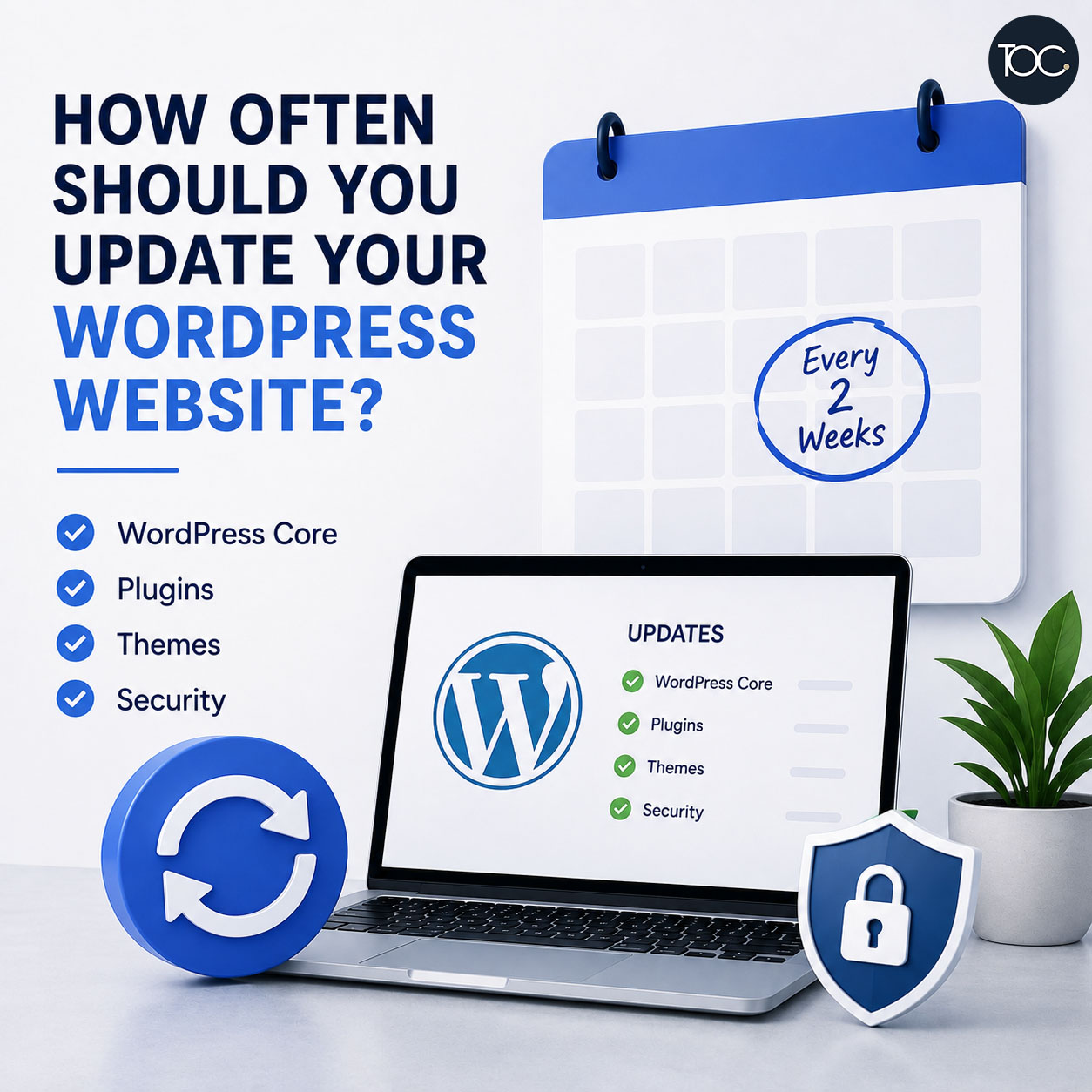
For most business websites, WordPress should be checked regularly—ideally at least once every two weeks (bi-weekly)—with important security updates addressed sooner when necessary.
However, proper website maintenance isn’t simply about clicking Update All.
Let’s look at what actually needs to be maintained and how often.
Table of Content
- 1. Why Does WordPress Need Regular Updates?
- 2. Website Content Updates vs Technical Website Updates
- 3. How Often Should You Check for WordPress Updates?
- 4. How Often Should You Update WordPress Core?
- 5. How Often Should You Update WordPress Plugins?
- 6. How Often Should You Update Your WordPress Theme?
- 7. What About Plugins and Themes You Don’t Use?
- 8. What Are WordPress Security Updates?
- 9. Should WordPress Updates Be Automatic?
- 10. Back Up Before Important Updates
- 11. Test Your Website After Updates
- 12. Your Contact Form Can Break Without You Realising
- 13. How Often Should You Monitor WordPress Security?
- 14. How Often Should PHP Be Updated?
- 15. What About Website Performance?
- 16. How Often Should You Check for Broken Links?
- 17. Does Your WordPress Database Need Maintenance?
- 18. I Don’t Need to Update My Website Content. Do I Still Need Website Maintenance?
- 19. What If My Website Hasn’t Changed for Years?
- 20. Is Updating WordPress Once a Year Enough?
- 21. Can I Just Click “Update All”?
- 22. What Happens If You Don’t Update WordPress?
- 23. Website Maintenance Isn’t Only About Updates
- 24. Final Thoughts
- 25. Frequently Asked Questions
- 26. Need Help Maintaining Your WordPress Website?
1. Why Does WordPress Need Regular Updates?
WordPress isn’t a single piece of software.
A typical WordPress business website consists of several components working together.
These may include:
WordPress Core
This is the main WordPress content management system that powers your website.
WordPress Theme
Your theme controls much of the website’s design, layout and sometimes functionality.
Plugins
Plugins provide additional functionality such as:
- Contact forms
- SEO
- Security
- Backups
- Page builders
- Sliders
- eCommerce
- Membership systems
- Caching
PHP and Server Technology
WordPress also depends on technologies provided by your hosting environment.
All these components need to remain compatible with one another.
Developers continuously release new versions to improve security, fix problems and maintain compatibility.
This means a WordPress website can become technically outdated even when nobody has changed a single word on the website.
2. Website Content Updates vs Technical Website Updates
This distinction is important enough to understand before discussing maintenance frequency.
Website Content Updates
Content updates are changes that visitors can normally see.
Examples include:
- Changing company information
- Uploading new photographs
- Adding new services
- Updating staff profiles
- Changing prices
- Adding promotions
- Publishing blog posts
- Adding products
Some businesses make these changes every week.
Others may not need to change their website content for an entire year.
That’s perfectly fine.
Technical Website Updates
Technical updates happen behind the scenes.
They can include:
- Updating WordPress
- Updating plugins
- Updating themes
- Applying security fixes
- Maintaining PHP compatibility
- Monitoring website security
- Checking backups
- Fixing broken functionality
- Database maintenance
- Performance optimisation
Your customers may never notice these changes.
But they help keep your website secure, compatible and functioning correctly.
This is why having no content updates doesn’t mean having no website maintenance requirements.
3. How Often Should You Check for WordPress Updates?
For most business websites, checking the website at least once a once every two weeks (bi-weekly) is a reasonable starting point.
However, different types of updates require different levels of urgency.
A useful general schedule is:
| Website Area | Recommended Frequency |
|---|---|
| WordPress Core | Check regularly |
| Security Updates | Check at least bi-weekly |
| Plugins | Check at least bi-weekly |
| Theme | Check at least monthly |
| Backups | Regularly and before major updates |
| Security Monitoring | Ongoing |
| Website Forms | Test regularly |
| Website Performance | Review periodically |
| Broken Links | Review periodically |
| PHP / Server Environment | Review periodically |
| Website Content | Update when necessary |
This doesn’t mean every website needs exactly the same schedule.
A small corporate website and a busy WooCommerce store have very different requirements.
4. How Often Should You Update WordPress Core?
WordPress regularly releases software updates.
These can include:
- Security releases
- Maintenance releases
- Bug fixes
- Minor updates
- Major WordPress versions
Security and maintenance updates should generally be prioritised.
Major WordPress updates may require more preparation because they can introduce changes that affect themes, plugins or custom functionality.
Before a significant WordPress update, good practice includes:
- Creating a reliable website backup.
- Checking theme and plugin compatibility.
- Reviewing potential compatibility issues.
- Performing the update.
- Testing the website afterwards.
For more complex websites, significant updates may first be tested in a staging environment before being applied to the live website.
5. How Often Should You Update WordPress Plugins?
Plugins are one of the most frequently updated components of a WordPress website.
A business website may rely on plugins for:
- Contact forms
- Security
- SEO
- Backups
- Caching
- Page building
- eCommerce
- Payment processing
- Membership functionality
Plugin developers release updates for many reasons.
An update may:
- Fix a security vulnerability
- Correct a bug
- Improve performance
- Add new features
- Improve compatibility with WordPress
- Support newer PHP versions
This is why plugin updates shouldn’t be ignored for long periods.
Do You Need to Install Every Plugin Update Immediately?
Not necessarily.
The urgency depends on what the update addresses.
A critical security update should generally receive greater priority than an update that simply adds a new feature you don’t need.
For important business websites, it may also be appropriate to assess an update before installing it.
The goal isn’t simply:
Update everything as quickly as possible.
The goal is:
Keep the website appropriately updated while reducing the risk of compatibility problems.
6. How Often Should You Update Your WordPress Theme?
Your WordPress theme also requires updates.
Theme updates may provide:
- Security fixes
- WordPress compatibility
- PHP compatibility
- Bug fixes
- Performance improvements
- New functionality
Even if your website design hasn’t changed, the theme powering that design may still need updating.
This is another good example of the difference between content/design changes and technical maintenance.
The website can look exactly the same before and after an update while important changes have taken place behind the scenes.
7. What About Plugins and Themes You Don’t Use?
Unused software shouldn’t simply be forgotten.
If you have plugins that are no longer required, consider removing them after confirming they aren’t being used.
The same applies to unused WordPress themes.
Keeping unnecessary software installed can:
- Increase maintenance requirements
- Add potential security exposure
- Create unnecessary clutter
- Make troubleshooting more complicated
If you don’t need it, there is usually little benefit in keeping it installed indefinitely.
8. What Are WordPress Security Updates?
One of the most important reasons to keep WordPress updated is security.
Security vulnerabilities are sometimes discovered in:
- WordPress core
- Plugins
- Themes
- Server software
Once a vulnerability becomes publicly known, attackers may attempt to exploit websites that haven’t installed the necessary fix.
And this is important:
Your website doesn’t have to be a large or famous website to be targeted.
Many attacks against WordPress websites are automated.
Bots can scan large numbers of websites looking for:
- Outdated plugins
- Known vulnerabilities
- Weak passwords
- Exposed login pages
- Misconfigured websites
So even a relatively small corporate website can receive malicious traffic.
Regular updates help reduce this risk.
9. Should WordPress Updates Be Automatic?
WordPress supports automatic updates for certain components.
Automatic updates have obvious advantages.
They can help:
- Install security fixes quickly
- Prevent software becoming severely outdated
- Reduce manual work
However, automatic updates also introduce a potential problem.
What happens if an update breaks something?
An update could potentially:
- Affect a contact form
- Cause a plugin conflict
- Change a website layout
- Affect custom code
- Cause a PHP error
- Create a WooCommerce compatibility issue
For simple websites, automatic updates may be suitable for certain components.
For complex business websites or eCommerce stores, a more controlled update process may be preferable.
There isn’t one automatic-update policy that works for every WordPress website.
10. Back Up Before Important Updates
A reliable backup is an essential part of WordPress maintenance.
If an update causes a serious problem, a backup gives you a way to restore the website.
A complete backup may include:
- WordPress files
- Themes
- Plugins
- Uploaded images
- Website database
The database is particularly important because it may contain:
- Pages
- Blog posts
- Website settings
- Form information
- User accounts
- WooCommerce information
depending on how your website is configured.
Don’t Simply Assume Your Website Is Backed Up
Your hosting provider may provide backups.
But business owners should understand:
- How often backups are created
- How long they are retained
- What is included
- Where they are stored
- How restoration works
The time to understand your backup system is before you need to restore the website.
11. Test Your Website After Updates
Updating WordPress successfully doesn’t necessarily mean the maintenance job is finished.
The website should also be checked afterwards.
Important areas to test may include:
- Homepage
- Navigation
- Mobile layout
- Important service pages
- Contact forms
- Enquiry forms
- Login functionality
- Search functions
For an eCommerce website, testing may also include:
- Product pages
- Add to Cart
- Shopping cart
- Checkout
- Payment process
- Order confirmation
- Transactional emails
A website can technically remain online while an important business function has stopped working.
12. Your Contact Form Can Break Without You Realising
This is particularly important for business websites that depend on enquiries.
Imagine this situation.
Your website looks perfectly normal.
Customers can browse your pages.
Your contact form appears on the screen.
A visitor fills it in and clicks Submit.
They even receive a message saying the form was successfully submitted.
But the email never reaches your company.
Unless somebody tests the form, you may not realise that enquiries have stopped arriving.
This is why website maintenance should include functionality checks, not simply software updates.
For important forms, you should check both:
Can the visitor submit the form successfully?
and:
Does the enquiry actually reach the intended recipient?
13. How Often Should You Monitor WordPress Security?
Security monitoring should ideally be ongoing.
WordPress websites are constantly exposed to internet traffic, including automated bots.
Common activity may include:
- Failed login attempts
- Vulnerability scanning
- Spam
- Malicious requests
- Suspicious traffic
Security maintenance can therefore include:
- Reviewing security alerts
- Monitoring failed logins
- Checking administrator accounts
- Removing unnecessary users
- Reviewing vulnerabilities
- Using strong passwords
- Using two-factor authentication where appropriate
Updating WordPress is important for security, but security requires more than software updates alone.
14. How Often Should PHP Be Updated?
WordPress relies heavily on PHP.
PHP versions change over time, and older versions eventually stop receiving security support.
However, upgrading PHP requires care.
Your:
- WordPress version
- Theme
- Plugins
- Custom code
must be compatible with the PHP version being used.
Older WordPress websites can sometimes experience problems when moved to newer PHP versions because an old plugin or custom code hasn’t been maintained.
PHP compatibility should therefore be reviewed periodically as part of website maintenance.
15. What About Website Performance?
A website can gradually become slower over time.
This can happen because you:
- Add plugins
- Upload large images
- Add tracking scripts
- Publish more content
- Install new functionality
- Change third-party integrations
Updates themselves can also occasionally affect performance.
Periodic performance checks can help identify problems before they become serious.
Remember that website speed isn’t only about SEO.
It directly affects the experience of potential customers using your website.
16. How Often Should You Check for Broken Links?
Links don’t necessarily remain valid forever.
An internal page may be removed.
An external website may change its URL.
A supplier may close its website.
An article you’ve referenced may disappear.
This can result in broken links.
Regular broken-link checks help identify URLs that should be:
- Corrected
- Updated
- Redirected
- Removed
For a small corporate website, periodic checks may be sufficient.
Content-heavy websites may need more frequent monitoring.
17. Does Your WordPress Database Need Maintenance?
Over time, WordPress databases can accumulate unnecessary information.
Depending on your website and plugins, this may include:
- Post revisions
- Transients
- Spam comments
- Deleted content
- Temporary data
- Old plugin information
Periodic database cleanup can help keep the website database organised.
However, database changes should always be handled carefully.
A reliable backup should exist before significant database maintenance is performed.
18. I Don’t Need to Update My Website Content. Do I Still Need Website Maintenance?
Yes. Website content updates and technical website maintenance are two different things.
This is probably the most important point in this article.
Think of your website as having two layers.
The Content Layer
This is what visitors see:
- Text
- Images
- Products
- Services
- Company information
- Blog posts
You might not need to change these very often.
The Technical Layer
This is what keeps the website running:
- WordPress
- Themes
- Plugins
- Database
- PHP
- Security systems
- Hosting environment
This layer continues to change even when your content doesn’t.
For example, even if you haven’t changed a single word on your website:
- A plugin may develop a known vulnerability.
- WordPress may release a security update.
- Your theme may require a compatibility update.
- Your contact form plugin may require updating.
- An older PHP version may reach end of support.
- A plugin developer may discontinue a plugin.
- Security threats may evolve.
- A software update may create a compatibility issue.
None of these things depend on whether you have new content to upload.
Therefore:
“I don’t have anything to update on my website” does not necessarily mean “my website doesn’t need maintenance.”
Website maintenance is about keeping the technology behind your website secure, compatible, reliable and functioning properly.
19. What If My Website Hasn’t Changed for Years?
This can actually make maintenance more important, not less.
A website that hasn’t received proper technical maintenance for several years may be running:
- An old WordPress version
- Outdated plugins
- An outdated theme
- An unsupported PHP version
- Abandoned plugins
- Older custom code
The website may still appear perfectly normal.
But when you eventually need to make a major update, migrate the website or change hosting, these outdated components can create problems.
Regular maintenance helps prevent this technical debt from building up.
20. Is Updating WordPress Once a Year Enough?
For most business websites, I wouldn’t recommend waiting an entire year between technical checks.
Twelve months is a long time in the WordPress ecosystem.
During that period, there may be numerous:
- WordPress releases
- Plugin updates
- Theme updates
- Security patches
- Vulnerability discoveries
- Compatibility changes
Allowing everything to accumulate can make the eventual update more difficult.
Smaller, regular maintenance cycles are generally easier to manage than trying to update a badly outdated website all at once.
21. Can I Just Click “Update All”?
You can—but that doesn’t necessarily mean you should.
For a simple personal website, the risk may be relatively low.
For a business website that generates customer enquiries, registrations or online sales, more care is appropriate.
Before clicking Update All, consider:
- Do I have a recent backup?
- Are any of these security updates?
- Are there major plugin updates?
- Is WooCommerce involved?
- Does the website use custom code?
- Are the plugins compatible?
- Who will check the website afterwards?
- What will I do if something breaks?
Proper website maintenance is a process.
A better approach is:
Backup → Update → Test → Monitor
22. What Happens If You Don’t Update WordPress?
Nothing may happen immediately.
And that’s one reason website maintenance is easy to ignore.
A website may continue functioning normally for months.
However, over time, the risks increase.
Security Vulnerabilities
Old software may contain publicly known vulnerabilities.
Compatibility Problems
Old plugins may stop working properly with newer versions of WordPress or PHP.
Website Errors
Outdated software can eventually cause errors or broken functionality.
Performance Problems
Older software or accumulated database information can contribute to poor performance.
Difficult Future Updates
Updating a slightly outdated website is usually much easier than recovering a website that hasn’t been maintained for several years.
Increased Recovery Costs
If a neglected website is eventually compromised or breaks badly, repairing it may require significantly more work than regular preventive maintenance.
23. Website Maintenance Isn’t Only About Updates
Another important distinction is that WordPress maintenance involves more than installing software updates.
A proper maintenance process may include:
- WordPress core updates
- Plugin updates
- Theme updates
- Security monitoring
- Backups
- Broken link checks
- Database cleanup
- Performance optimisation
- Troubleshooting
- Form testing
- Functionality checks
- Recovery from backups when necessary
This is why simply enabling automatic updates isn’t the same as having a properly maintained website.
24. Final Thoughts
So, how often should you update WordPress?
For most business websites, checking WordPress core, plugins and themes at least monthly is a sensible starting point, while important security vulnerabilities may need attention sooner.
But the most important takeaway isn’t the exact number of days between updates.
It is understanding that:
Website content updates and website technical maintenance are not the same thing.
You may have no new text to add.
You may have no photographs to change.
You may have no promotions to publish.
Your website may look exactly the same for the entire year.
But behind the scenes, WordPress, plugins, themes, PHP, security threats and web technologies continue to evolve.
That’s why a WordPress website still requires regular technical maintenance even when its content doesn’t change.
A good maintenance process should follow:
Backup → Update → Test → Monitor
Regular preventive maintenance can help reduce security risks, maintain compatibility, identify problems earlier and keep your website functioning properly.
Don’t wait until something breaks before maintaining your website.
25. Frequently Asked Questions
25. Frequently Asked Questions
26. Need Help Maintaining Your WordPress Website?
No website content changes? Your WordPress website may still need technical maintenance.
At THEOLDCOMPANY, we provide WordPress website maintenance services for businesses in Singapore, helping keep websites updated, secure, optimised and functioning properly behind the scenes.
Our website maintenance services cover areas such as:
- WordPress core updates
- Plugin and theme updates
- Security monitoring
- Broken link checks
- Database cleanup
- Performance optimisation
- Troubleshooting
- Backup restoration when required
- Website functionality support
Because we also design and develop WordPress websites, we understand how WordPress, plugins, themes and hosting work together.
So if an update causes a compatibility issue or website problem, we can investigate what happened and help resolve it.
Even if you don’t need regular content changes, your WordPress website still deserves regular technical care.
📩 Contact us today for a free, no-obligation consultation and discover how we can keep your website running smoothly.