Introduction
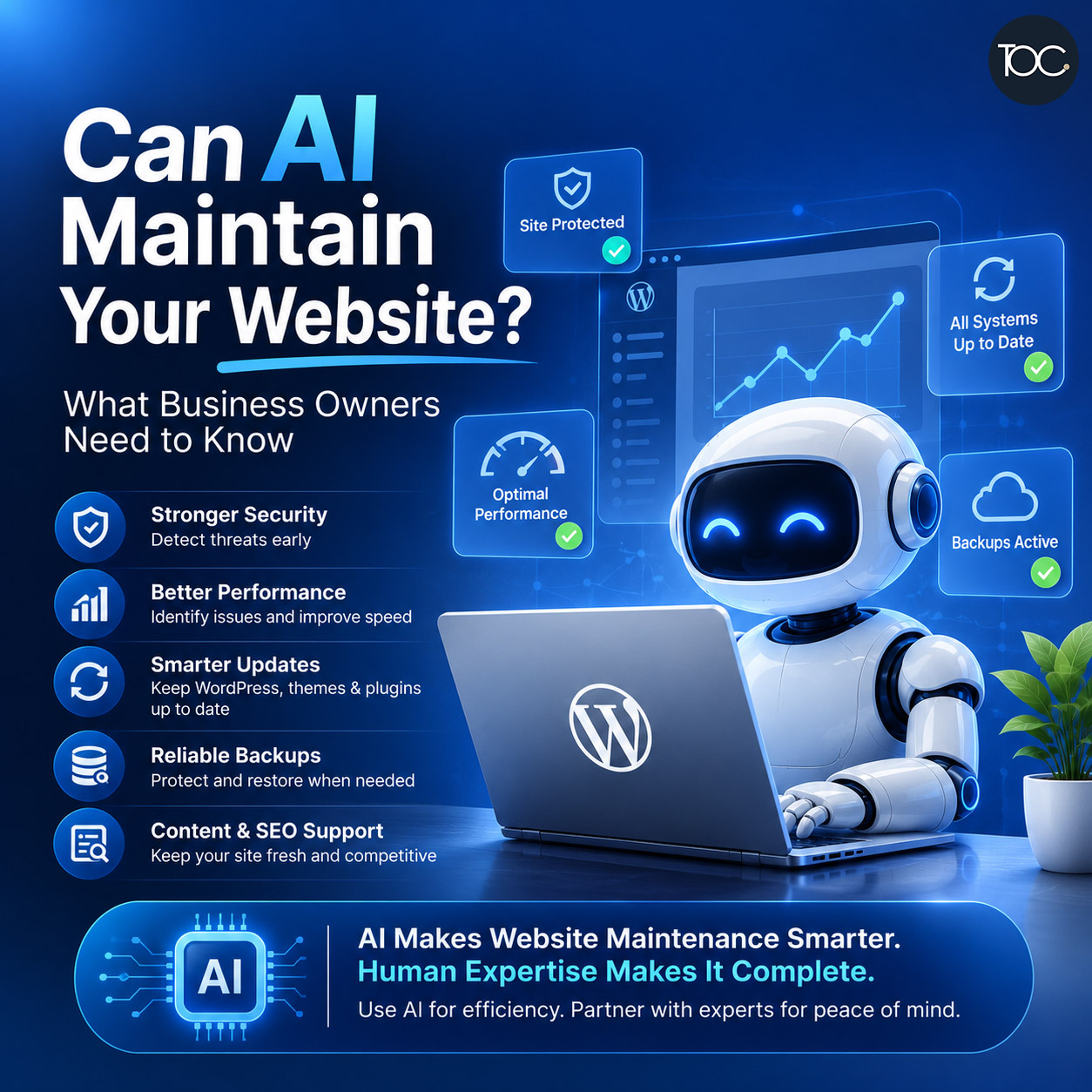
AI website maintenance is becoming increasingly possible as artificial intelligence finds its way into website management, security, content creation, performance monitoring, and troubleshooting.
Today, AI-powered tools can monitor websites, detect unusual activity, identify potential security problems, suggest improvements, generate content, and even help diagnose technical issues.
This raises an obvious question for business owners:
Can AI maintain your website automatically, without needing a web developer or website maintenance service?
The answer is: AI can automate and assist with many website maintenance tasks, but it cannot yet replace proper human oversight.
Understanding what AI can—and cannot—do will help businesses use these tools effectively without assuming their website can simply look after itself.
Table of Content
1. What Is AI Website Maintenance?
AI website maintenance refers to using artificial intelligence and automated systems to help monitor, manage, optimise, and protect a website.
Traditional website maintenance requires someone to regularly check areas such as:
- Software updates
- Website security
- Backups
- Performance
- Broken links
- Forms
- Website errors
- Database health
- Content
AI can automate parts of this process by analysing website data and identifying potential problems.
Instead of manually reviewing everything, website owners and developers can use AI tools to detect issues earlier and make maintenance more efficient.
But there’s an important distinction:
Detecting a problem and safely fixing a problem are not always the same thing.
2. What Website Maintenance Actually Involves
Many business owners think website maintenance simply means updating WordPress and its plugins.
In reality, proper website maintenance involves much more.
For a typical business website, ongoing maintenance may include:
Software Updates
WordPress core, themes, and plugins need to be kept up to date for security, compatibility, and functionality.
Security Monitoring
Websites should be monitored for suspicious activity, malware, vulnerabilities, unauthorised logins, and unexpected file changes.
Website Backups
Regular backups provide a recovery option if something goes wrong.
Performance Optimisation
Website speed can deteriorate over time due to database growth, large images, plugins, scripts, or other changes.
Functionality Testing
Important features such as contact forms, enquiry forms, checkout processes, and login systems need to continue working correctly.
Broken Link Checks
Pages may be deleted or external websites may change their URLs, resulting in broken links.
Database Maintenance
WordPress databases can accumulate unnecessary information over time and may benefit from periodic cleanup and optimisation.
Troubleshooting
Updates can occasionally cause compatibility problems, layout issues, or functionality errors.
These tasks require different levels of automation, technical knowledge, and judgement.
That is why fully automated website maintenance is more complicated than it first appears.
3. What Can AI Do for Website Maintenance?
AI is already very useful in several areas of website maintenance.
Monitor Website Performance
AI-powered monitoring tools can analyse website performance and identify unusual behaviour.
For example, they may detect:
- Slower loading times
- Increased server response times
- Unusual traffic patterns
- Performance bottlenecks
- Resource usage problems
This allows potential issues to be investigated before they significantly affect visitors.
AI can also help interpret performance reports and suggest possible improvements.
However, recommendations still need to be evaluated carefully before implementation.
Detect Potential Security Threats
Security is one area where automation and machine learning are already widely used.
Modern security systems can analyse large amounts of activity and identify patterns associated with suspicious behaviour.
These may include:
- Repeated login attempts
- Suspicious IP addresses
- Malware patterns
- Unexpected file changes
- Known software vulnerabilities
- Unusual website activity
AI can make this monitoring faster and more efficient.
But security alerts still need interpretation.
A suspicious event isn’t necessarily an attack, and automatically blocking everything unusual could also prevent legitimate users from accessing the website.
Human judgement remains important.
Identify Outdated Software
AI and automated monitoring systems can identify outdated:
- WordPress versions
- Plugins
- Themes
- PHP versions
- Other website components
They can also alert administrators when security vulnerabilities are discovered.
This is extremely useful because outdated software is one of the most common risks affecting WordPress websites.
But should AI automatically install every update?
Not necessarily.
Assist With WordPress Updates
Automatic updates already existed before today’s generative AI tools.
WordPress can automatically install certain updates, and hosting platforms or management tools can automate many others.
AI can potentially make this process smarter by analysing:
- Compatibility
- Known issues
- Website configurations
- Previous update problems
- Vulnerability severity
However, updates can occasionally break website functionality.
For example, a plugin update might conflict with:
- Another plugin
- Your WordPress theme
- Custom code
- PHP
- WooCommerce
- Third-party integrations
For a simple website, automated updates may work perfectly most of the time.
For a business-critical website, testing and human oversight remain advisable.
Find Broken Links
AI and automated crawlers can scan websites for broken internal and external links.
They can identify:
- Deleted pages
- Incorrect URLs
- Broken external references
- Missing images
- Redirect problems
AI may also suggest replacement URLs or identify the most appropriate page for a redirect.
This can save considerable time on larger websites.
Help Optimise Website Speed
AI can analyse website performance reports and help identify potential reasons for slow loading.
It may recommend actions such as:
- Compressing images
- Removing unnecessary scripts
- Improving caching
- Reducing database overhead
- Optimising CSS and JavaScript
- Using modern image formats
- Removing unused plugins
Some AI-powered systems may even automate parts of these processes.
But performance optimisation often involves trade-offs.
Removing or delaying the wrong script could break functionality.
Human testing is still important after significant optimisation changes.
Monitor Website Uptime
Website monitoring services can automatically check whether your website is online.
If the website becomes unavailable, the system can send an alert immediately.
More advanced monitoring can also distinguish between:
- Complete website downtime
- Server errors
- Slow responses
- SSL certificate problems
- DNS issues
- Specific page failures
AI can help analyse these signals and suggest possible causes.
This means developers can spend less time diagnosing the initial problem and more time resolving it.
Help Diagnose Website Errors
This is one of the most useful applications of AI for developers.
If WordPress produces an error message or log entry, AI can help explain what it means.
For example, a developer might provide AI with:
- PHP error logs
- WordPress debug logs
- Browser console errors
- Server errors
- Plugin conflicts
AI can then suggest possible causes and troubleshooting steps.
This can significantly speed up diagnosis.
However, AI suggestions aren’t guaranteed to be correct.
A developer still needs to understand the website before applying potentially significant changes.
Assist With Database Maintenance
AI can help analyse database behaviour and identify possible optimisation opportunities.
For WordPress websites, databases can gradually accumulate:
- Post revisions
- Transients
- Spam comments
- Deleted content
- Plugin data
- Temporary information
Automated tools can help clean unnecessary data.
However, database operations should always be approached carefully.
Deleting the wrong database information can damage a website.
Reliable backups are essential before significant database changes.
Help Maintain Website Content
Website maintenance isn’t only technical.
Content also needs maintenance.
AI can help identify:
- Outdated information
- Old statistics
- Poorly written content
- Duplicate information
- Missing meta descriptions
- Weak headings
- Content gaps
It can also help refresh older articles and suggest additional information that could make them more useful.
For businesses publishing regular content, this can save considerable time.
However, factual information still needs human verification.
Assist With SEO Maintenance
SEO requires ongoing attention because websites, competitors, search behaviour, and search engines continue to change.
AI can assist with:
- Content analysis
- Internal linking suggestions
- Meta description ideas
- Heading improvements
- Content refresh recommendations
- Keyword ideas
- Identifying content gaps
AI can therefore become a useful part of ongoing SEO maintenance.
But it shouldn’t replace actual search performance data.
Google Search Console, analytics, keyword research, and human analysis remain essential for understanding how your website is actually performing.
4. What Can’t AI Reliably Do Yet?
The capabilities are impressive, but there are important limitations.
Understand Your Entire Business
AI may understand your website technically, but it doesn’t automatically understand:
- Your customers
- Your sales process
- Your priorities
- Your brand
- Your business relationships
- Which website functions are mission-critical
A developer familiar with your business can make decisions based on context that automated tools may not have.
Know Whether a Visual Change Is Acceptable
A website can technically function while still looking wrong.
An update might cause:
- Incorrect spacing
- Broken mobile layouts
- Overlapping text
- Missing icons
- Incorrect fonts
- Misaligned buttons
Automated tools may detect some visual differences, but deciding whether something actually looks right often requires human judgement.
Safely Resolve Every Plugin Conflict
AI can suggest solutions when plugins conflict, but implementing those solutions safely is another matter.
A fix might require:
- Rolling back a plugin
- Editing code
- Changing PHP versions
- Reconfiguring settings
- Replacing a plugin
- Contacting the plugin developer
There isn’t always one correct answer.
Test Every Business Process
Suppose your website has an enquiry form.
The form may appear perfectly normal.
But is the enquiry actually reaching the correct email address?
What about an eCommerce website?
A page monitoring system may show that the checkout page loads, but does the entire process work correctly from:
Add to Cart → Checkout → Payment → Confirmation → Email notification?
Real-world functionality still needs proper testing.
5. The Risk of Fully Automated Website Maintenance
Automation is attractive because it reduces repetitive work.
But there is a danger in assuming:
“AI is monitoring my website, so I don’t need to worry about it anymore.”
Imagine an AI system automatically updating 20 WordPress plugins overnight.
Nineteen update successfully.
One causes your contact form to stop working.
The website remains online.
Visitors can still browse every page.
Nothing appears obviously broken.
But customer enquiries are no longer reaching you.
From a technical uptime perspective, the website is working.
From a business perspective, it isn’t.
This illustrates why website maintenance needs more than automated monitoring.
6. AI Website Maintenance vs Human Website Maintenance
| Maintenance Task | AI / Automation | Human Oversight |
|---|---|---|
| Uptime monitoring | Excellent | Low |
| Security monitoring | Excellent | Important |
| Update detection | Excellent | Low |
| Plugin updates | Good | Recommended |
| Backups | Excellent | Periodic checking |
| Broken link detection | Excellent | Low |
| Performance analysis | Good | Important |
| Troubleshooting | Helpful | Essential |
| Visual inspection | Improving | Important |
| Form testing | Partly automated | Recommended |
| Complex plugin conflicts | Limited | Essential |
| Business decisions | Limited | Essential |
The most effective approach is therefore not:
AI OR human maintenance.
It is:
AI + automation + human expertise.
7. Will AI Replace Website Maintenance Services?
AI will almost certainly change website maintenance services.
Many repetitive tasks will become increasingly automated.
Website professionals will spend less time manually checking routine items and more time:
- Interpreting alerts
- Resolving complex problems
- Improving website performance
- Managing security
- Testing functionality
- Advising clients
- Optimising websites
This is similar to what has happened with many other technologies.
Automation doesn’t necessarily eliminate the professional.
It changes what the professional spends time doing.
8. Can Small Businesses Use AI for Website Maintenance?
Yes.
Small businesses can benefit significantly from automation.
Useful automated systems may include:
- Website uptime monitoring
- Automated backups
- Security scanning
- Vulnerability alerts
- Broken link monitoring
- Performance monitoring
- Spam filtering
These tools reduce the amount of manual checking required.
But someone should still be responsible for reviewing alerts and taking action when necessary.
An alert that nobody reads isn’t particularly useful.
9. Does AI Make WordPress Maintenance Easier?
Yes.
WordPress is particularly well suited to automated maintenance because much of its ecosystem can already be monitored and managed programmatically.
AI adds another layer by helping interpret information and assist with troubleshooting.
For example, AI can help a developer understand why:
- A plugin update failed
- A PHP error appeared
- A page became slow
- A script stopped loading
- A database query is causing problems
This can make WordPress maintenance faster and more efficient.
But the website still requires someone who understands what actions are safe to take.
10. What Should Business Owners Do?
You don’t need to choose between AI and professional website maintenance.
Use both.
AI and automation should handle repetitive tasks wherever appropriate.
Human expertise should handle decisions where experience, judgement, testing, and business context matter.
A practical approach would be:
- Automate website backups.
- Monitor website uptime.
- Use security monitoring.
- Track software vulnerabilities.
- Monitor website performance.
- Use AI to assist with diagnostics.
- Have a human review important alerts.
- Test the website after significant updates.
- Regularly check important forms and functionality.
- Maintain a recovery plan if something goes wrong.
This gives you the efficiency of automation without blindly trusting it.k.
11. AI Is a Tool, Not a Maintenance Strategy
AI is changing website maintenance.
It can detect problems faster, automate repetitive tasks, analyse large amounts of information, and help developers troubleshoot technical issues more efficiently.
But installing an AI-powered tool doesn’t automatically mean your website is properly maintained.
A good maintenance strategy still needs:
- Regular updates
- Security monitoring
- Reliable backups
- Testing
- Performance optimisation
- Troubleshooting
- Human oversight
AI simply makes many of these tasks easier.
12. Final Thoughts
AI website maintenance will continue to become more capable as artificial intelligence and website management tools evolve.
For business owners, this is good news.
AI can reduce repetitive work, detect potential issues earlier, assist with security monitoring, improve troubleshooting, and make website maintenance more efficient.
But we’re not yet at the point where a business should hand complete control of an important website to AI and never check it again.
Websites are connected to real business processes—enquiries, sales, customer communication, payments, registrations, and brand reputation.
When something goes wrong, understanding the business impact is just as important as identifying the technical error.
The best approach is therefore to combine AI-powered automation with professional website maintenance and human oversight.
Let AI handle what it does best.
Let experienced professionals make the decisions that require judgement.
13. Frequently Asked Questions
13. Frequently Asked Questions
14. Need Help Maintaining Your WordPress Website?
Keeping a website running smoothly involves much more than simply installing updates.
At THEOLDCOMPANY, our WordPress maintenance service helps businesses keep their websites updated, monitored, secure, optimised, and functioning properly.
We combine proven website maintenance practices with modern tools and automation to improve efficiency while maintaining the human oversight needed for business-critical websites.
Whether you need ongoing WordPress maintenance, troubleshooting, security monitoring, performance optimisation, or help resolving website problems, we’re here to help.
📩 Contact us to discuss your WordPress maintenance requirements.